LectureCam for iPhone and iPad
Snap every panel of the board on your iPhone and get one study note. On iPad, write on it in your own handwriting. One app, one account, the same notes wherever you sign in.
On the App Store. Requires iOS 16.4 or iPadOS 16.4, or later.
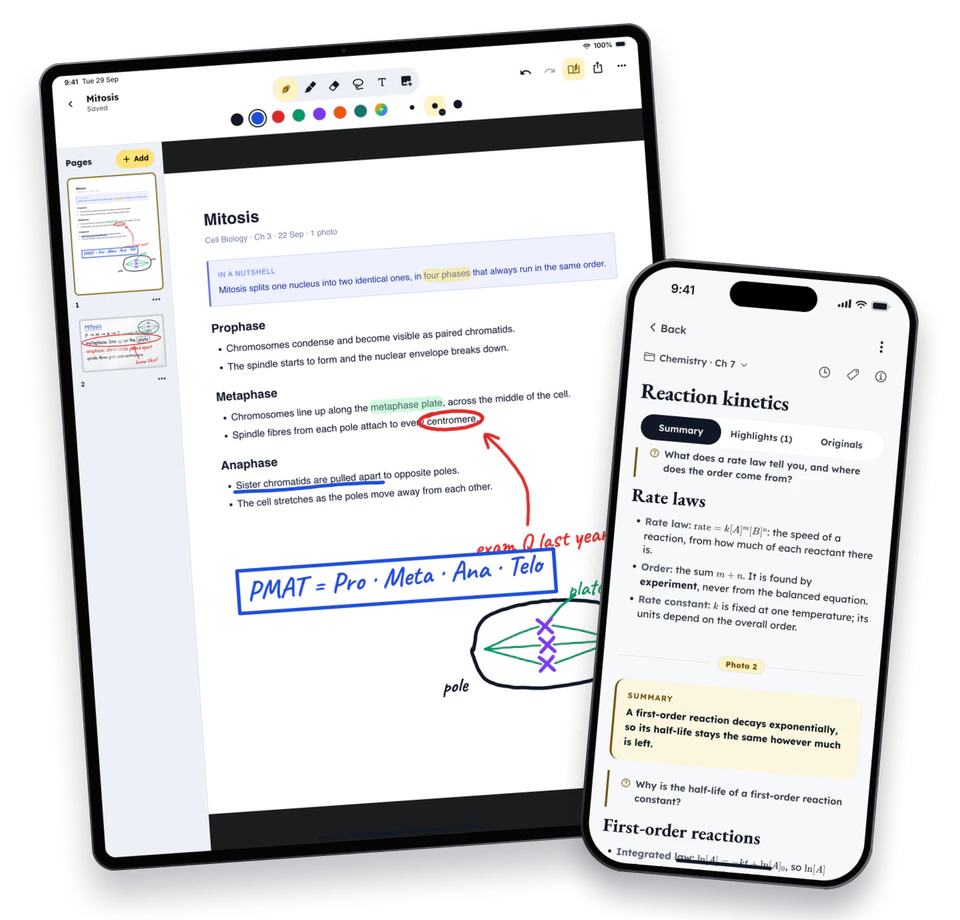
On iPhone
Snap every panel of the board, zoomed up to 3× for the corner equation
File it under a subject and chapter as you shoot
One note from all of them, usually in about a minute
Read your saved notes with no connection
Share a PDF or slides to LectureCam from another app: they wait in your notebooks to write on
On iPad
Everything above, in a sidebar layout made for the big screen
Write on any lecture and on its board photos
Bring your slides: import or share a PDF, PowerPoint, Word or Excel file and write on it
Notebooks of your own: blank, lined, grid or dotted
Pen, highlighter, eraser, shapes and lasso, made for Apple Pencil, each size set on a slider
One app and one account: the same notes wherever you sign in